# How to Stake (to veEXTRA)
(If you don't have EXTRA yet, swap some here ⬇️)
{% embed url="" %}
{% embed url="" %}
**To stake $EXTRA, simply follow the steps below:**
Video Tutorial:
{% embed url="" %}
Text Tutorial:
1. Visit the “Staking” page of Extra Finance
2. Connect to your Web3 wallet (such as [MetaMask](https://docs.extrafi.io/extra_finance/getting-started/metamask). Please ensure you have sufficient ETH to cover on-chain gas fees.)
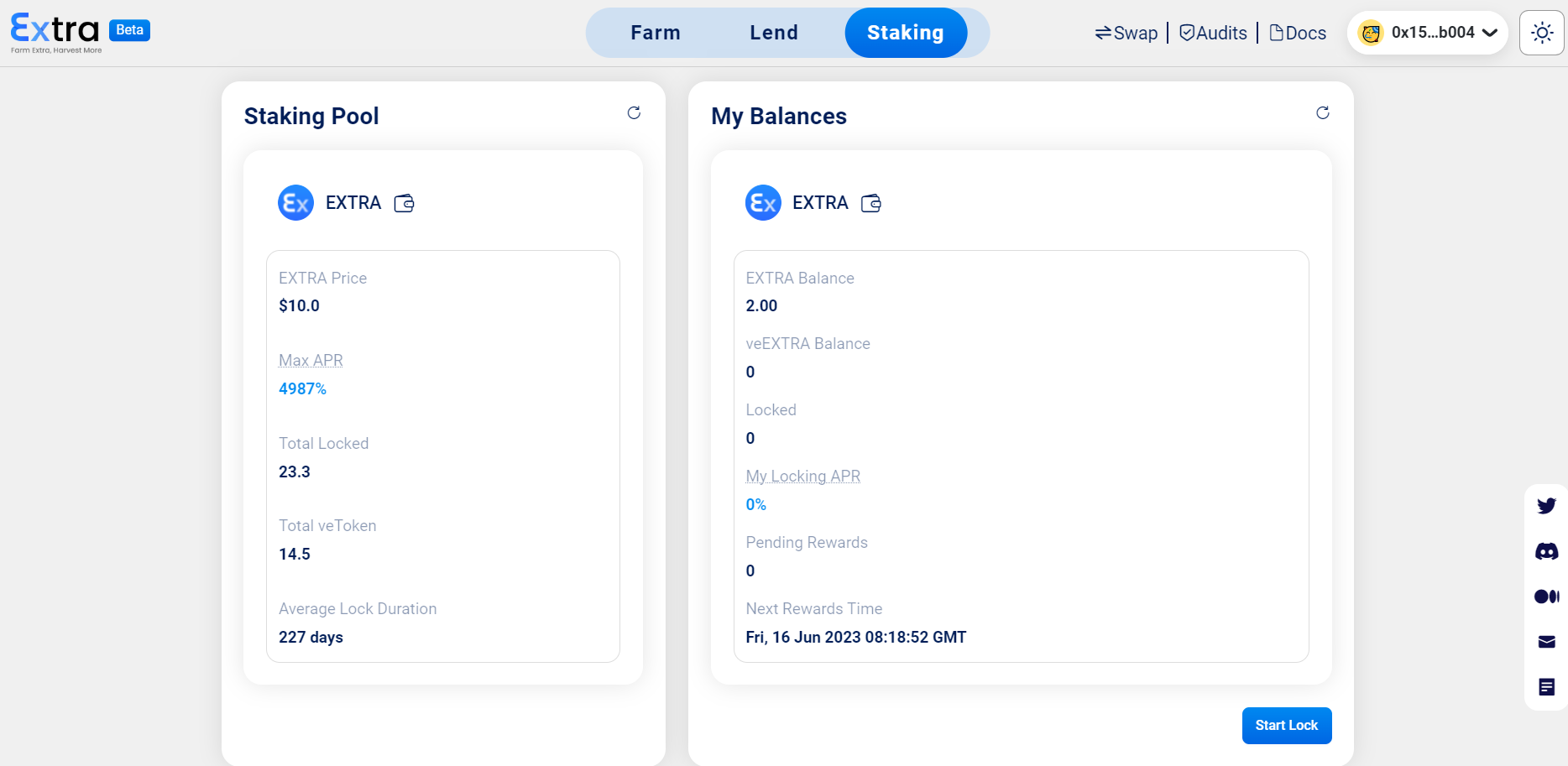
3. After connecting your wallet, you'll see detailed info on the total Staking Pool, including:
* EXTRA Price - the current price of EXTRA token.
* Max APR - the highest potential interest rate that can be earned by locking up EXTRA tokens.
* Total Locked - the total amount of EXTRA tokens that have been locked.
* Total veEXTRA - the total amount of EXTRA tokens that have been locked the staking pool.
* Average Lock Duration - the average length of lock days that EXTRA tokens are required to remain locked.
3. Click on “Start Lock” at the bottom right corner, input the staking amount of $EXTRA, and choose Lock Days. (Please note that the minimum lock days is 7. By dragging the 'Lock Days' bar, you can instantly observe the corresponding APR displayed.)
4. Click on “Lock” and confirm the transaction in your wallet.
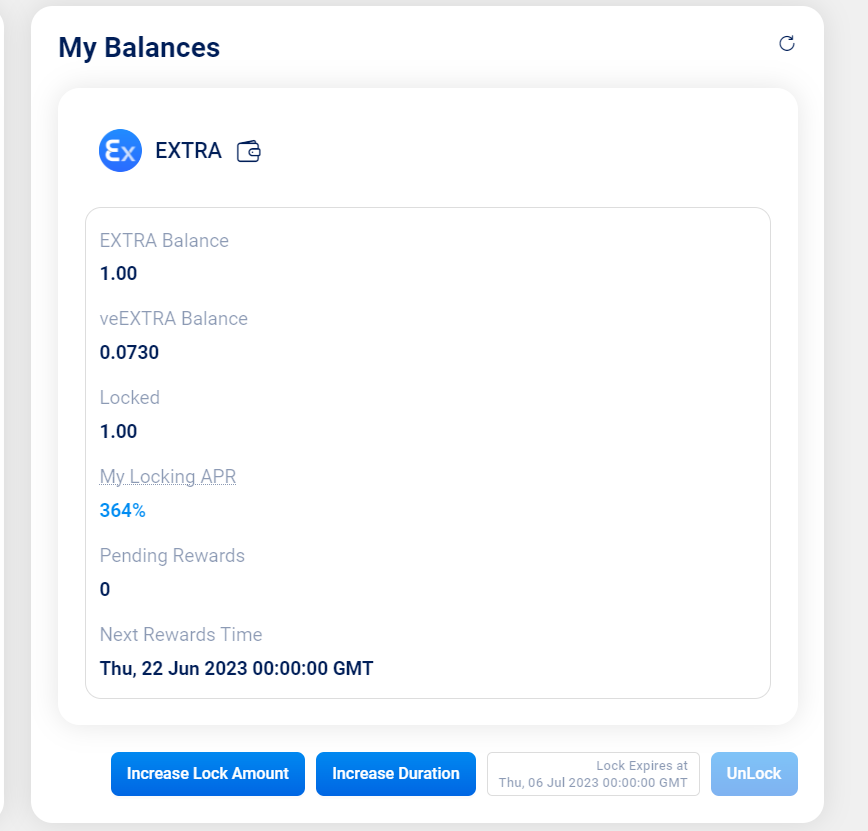
5. After locking your EXTRA, you can see the following info from the UI:
* EXTRA & veEXTRA Balance in your wallet.
* Locked - the amount of EXTRA you locked.
* My Locking APR - real-time APR for your locked EXTRA.
* Pending Rewards - real-time rewards for your locked EXTRA.
* Next Rewards Time - the rewards accumulated during each epoch can be claimed after the end of that epoch. (More info can be checked here: [Staking Reward Allocation](https://docs.extrafi.io/extra_finance/tokenomics/tokenomics-v1/staking)).
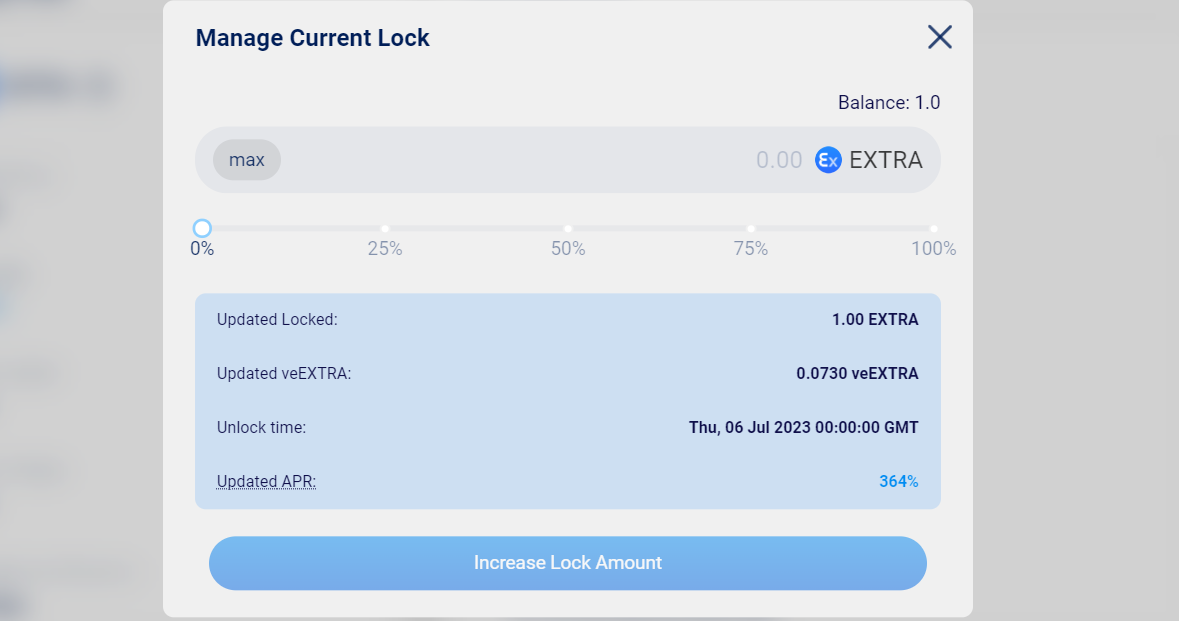
6. To increase the lock amount of EXTRA, click on the “Increase Lock Amount” option.
7. To extend the lock duration for your EXTRA, click on the "Increase Duration" option.
**To unstake your EXTRA, go to the “Staking” page and click on “Unlock” when it’s the unlock time.**
---
# Agent Instructions: Querying This Documentation
If you need additional information that is not directly available in this page, you can query the documentation dynamically by asking a question.
Perform an HTTP GET request on the current page URL with the `ask` query parameter:
```
GET https://docs.extrafi.io/extra_finance/tokenomics/tokenomics-v1/staking/how-to-stake-to-veextra.md?ask=
```
The question should be specific, self-contained, and written in natural language.
The response will contain a direct answer to the question and relevant excerpts and sources from the documentation.
Use this mechanism when the answer is not explicitly present in the current page, you need clarification or additional context, or you want to retrieve related documentation sections.