# How to use
#### **To open a lending position on Extra Finance, simply follow the steps below:**
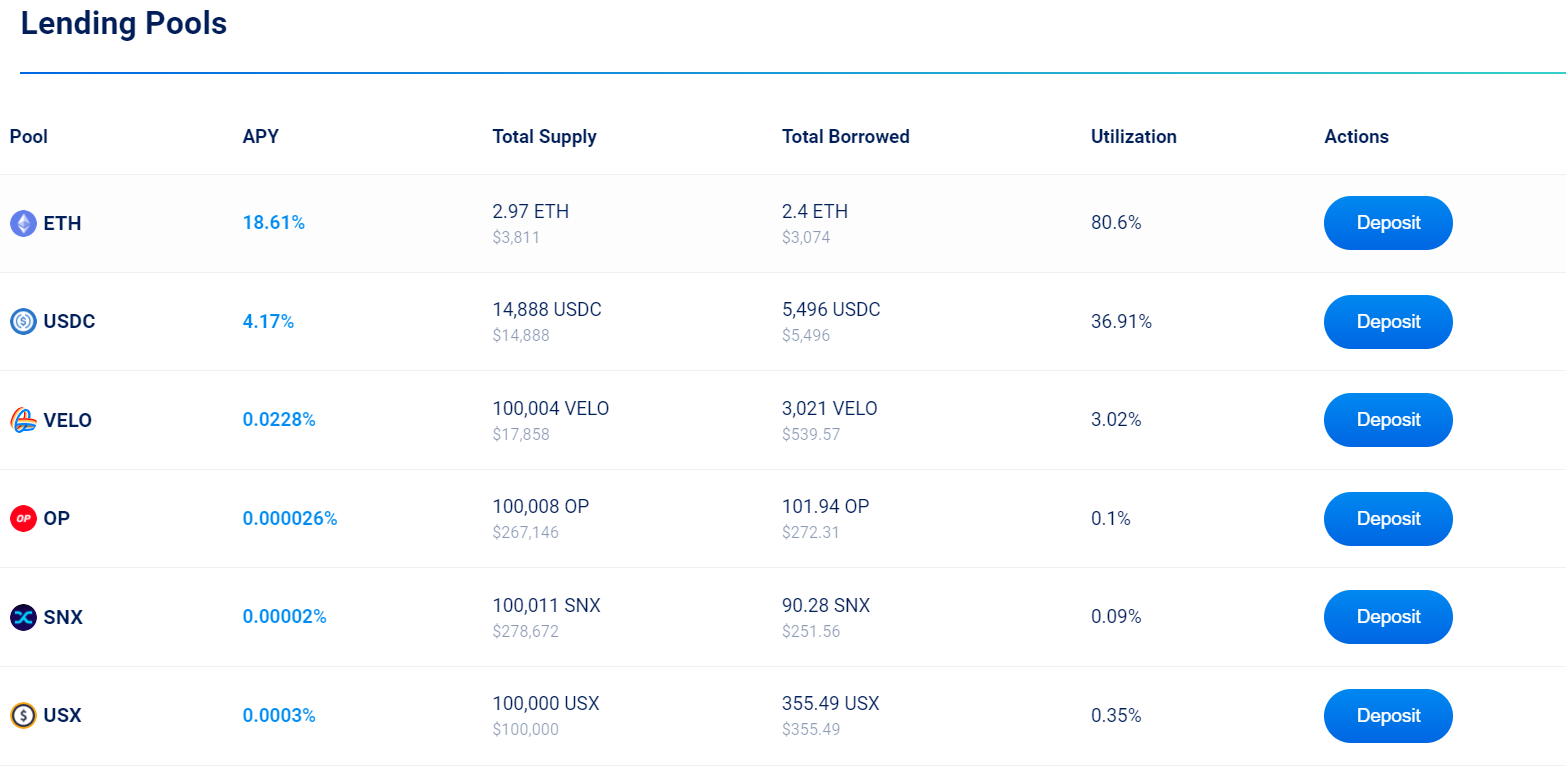
1. Visit the [Extra Finance Lend page](https://app.extrafi.io/lend)
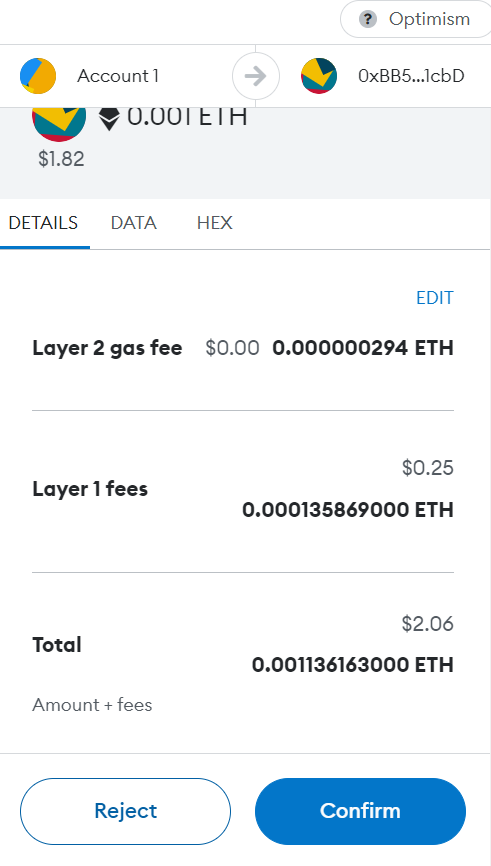
2. Connect to your Web3 wallet (such as [MetaMask](https://docs.extrafi.io/extra_finance/getting-started/metamask). Please ensure that you have a sufficient amount of ETH to cover on-chain gas fees. These fees will be charged by the Optimism chain. ExtraFi still maintains 0.00 gas for in-app transactions)
3. Select the lending pool that you’d like to deposit and click on “**Deposit**”
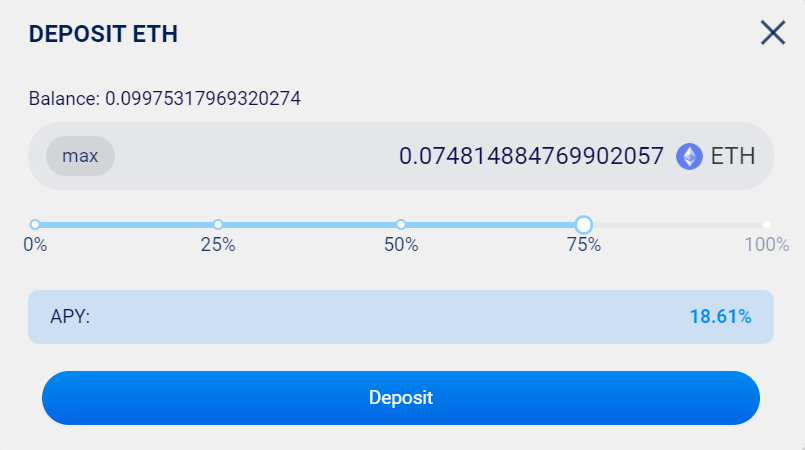
4. Enter the amount to deposit
5. Click on "**Deposit**" and confirm the transaction on your wallet
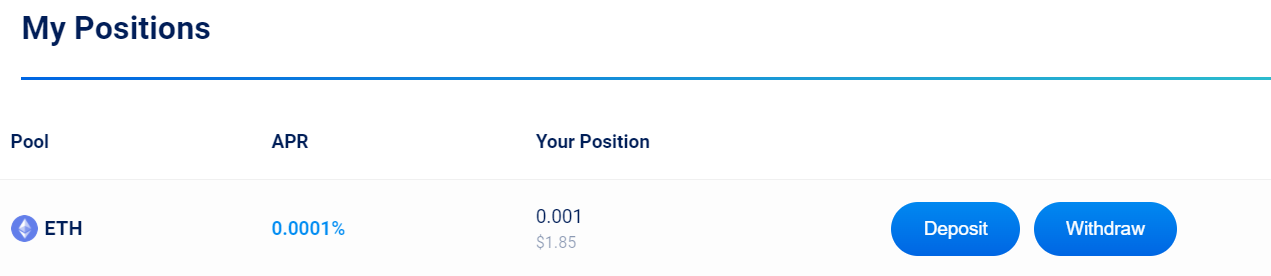
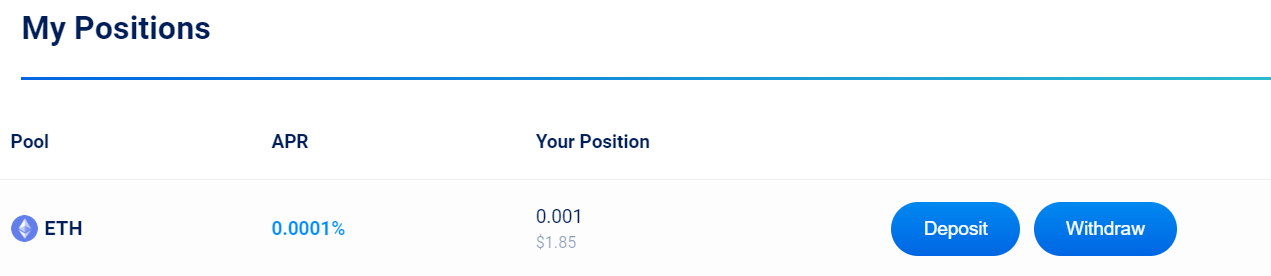
6. Once the transaction is processed, you can find the info about your lending position in the "**Your Positions**" section on the Lend page.
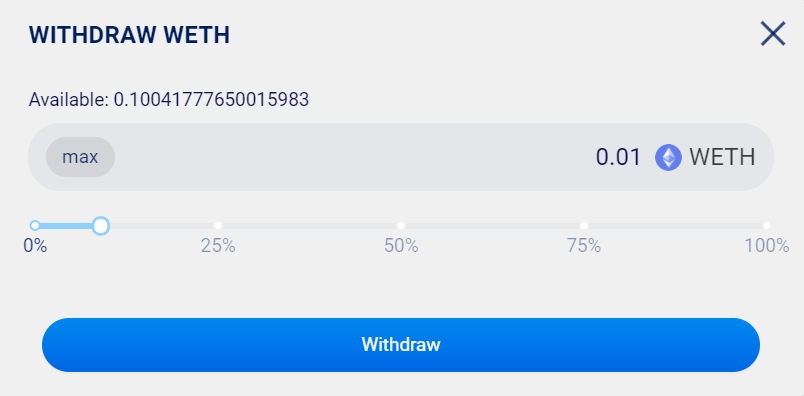
**To fully/partially withdraw from a lending position on Extra Finance, simply follow the steps below:**
1. Select the lending pool that you’d like to withdraw and click on “**Withdraw**”
2. Enter the amount to withdraw
3. Click on “**Withdraw**" and confirm the transaction on your wallet
---
# Agent Instructions: Querying This Documentation
If you need additional information that is not directly available in this page, you can query the documentation dynamically by asking a question.
Perform an HTTP GET request on the current page URL with the `ask` query parameter:
```
GET https://docs.extrafi.io/extra_finance/lending/how-to-use.md?ask=
```
The question should be specific, self-contained, and written in natural language.
The response will contain a direct answer to the question and relevant excerpts and sources from the documentation.
Use this mechanism when the answer is not explicitly present in the current page, you need clarification or additional context, or you want to retrieve related documentation sections.